
I like it when a fellow handler posts a diary entry about images with malicious content. Last one is Xavier: “The Evil MSI Background is Back!“.
I like to have a go at the sample with my tools, and see if there are any improvements I can make to my tools.
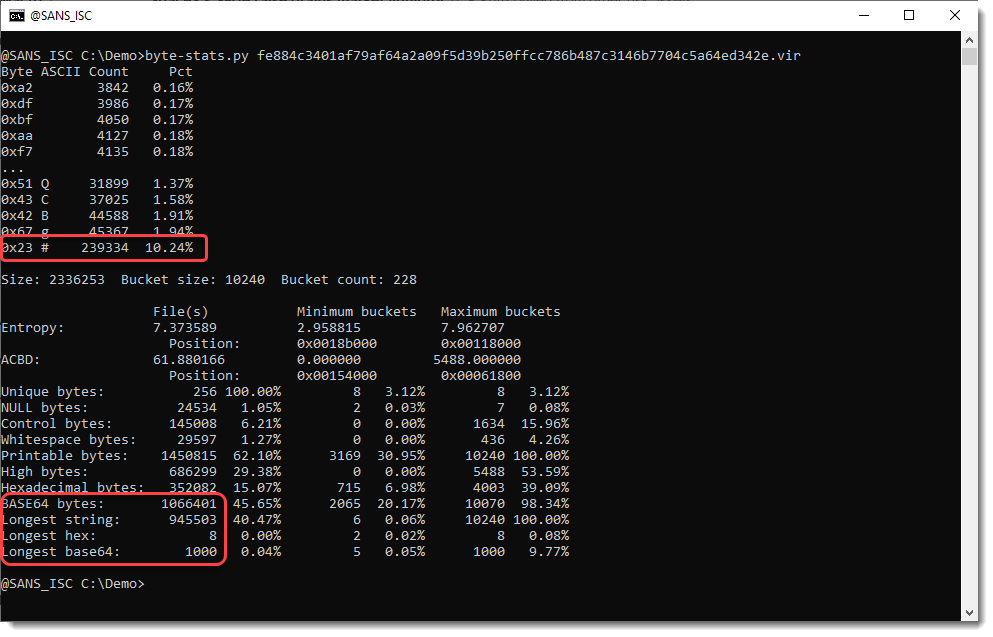
Let’s take a look at the bytes present in this suspicious JPEG file, using my tool byte-stats.py:
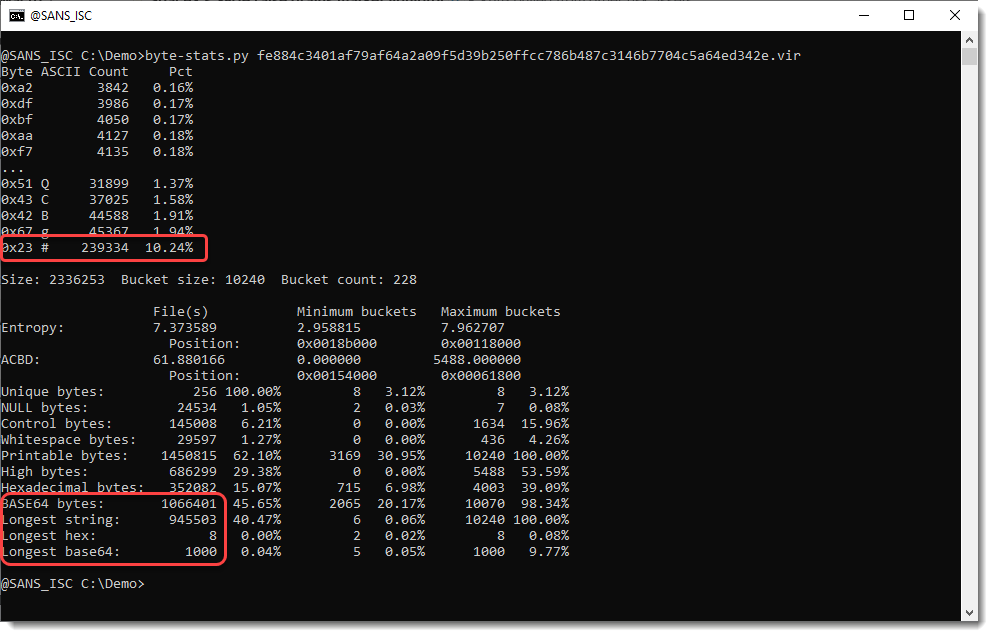
The results: almost half of the content (45.65%) is BASE64 characters, and the longest BASE64 string is 1000 characters.
And the longest string is almost 1 million characters long.
Let’s take a look with base64dump.py:
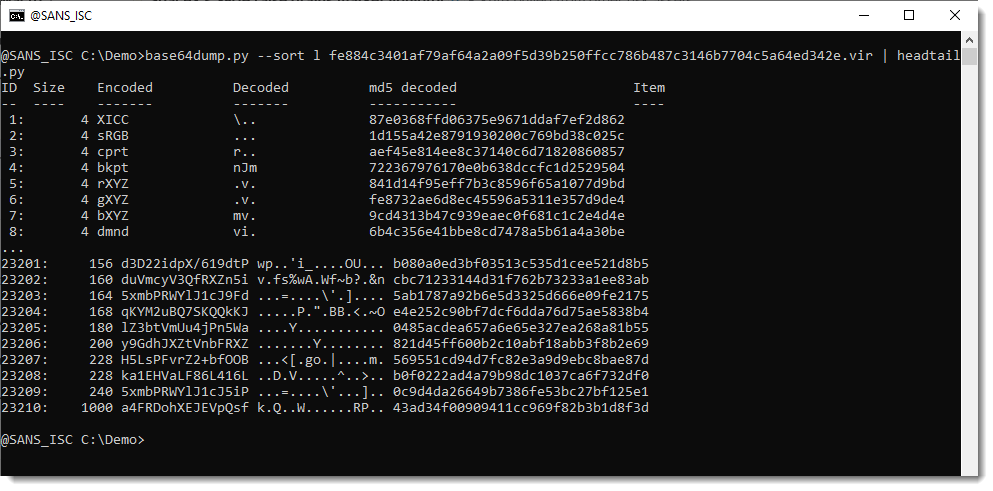
The longest BASE64 string is indeed 1000 characters long but doesn’t seem to decode to something recognizable.
A special encoding must have been used, and this is something you typically figure out by looking at the script or program that extracts and decodes the payload from this JPEG file.
But what if you don’t have that script, what if you just have the JPEG file?
Then you need a bit of skills and luck to figure out what encoding was used.
You can try out all the encodings supported by base64dump.py:

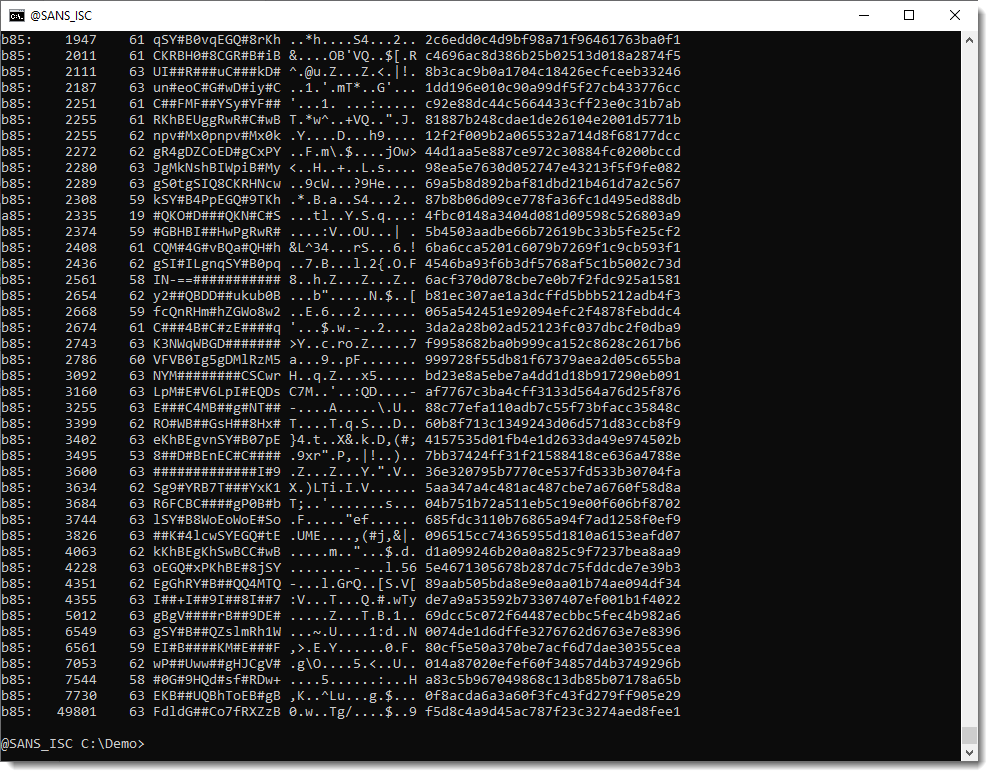
We see long BASE85 encoded strings, but still no string close to 1 million character. So this must be a custom encoding.
To try to figure out what custom encoding is used, I’ve added a –stats option to base64dump.py:
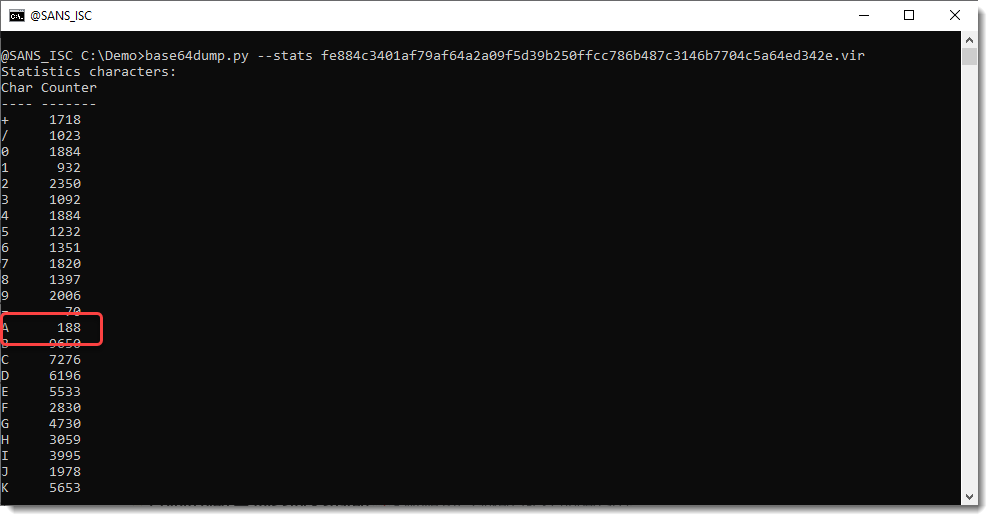
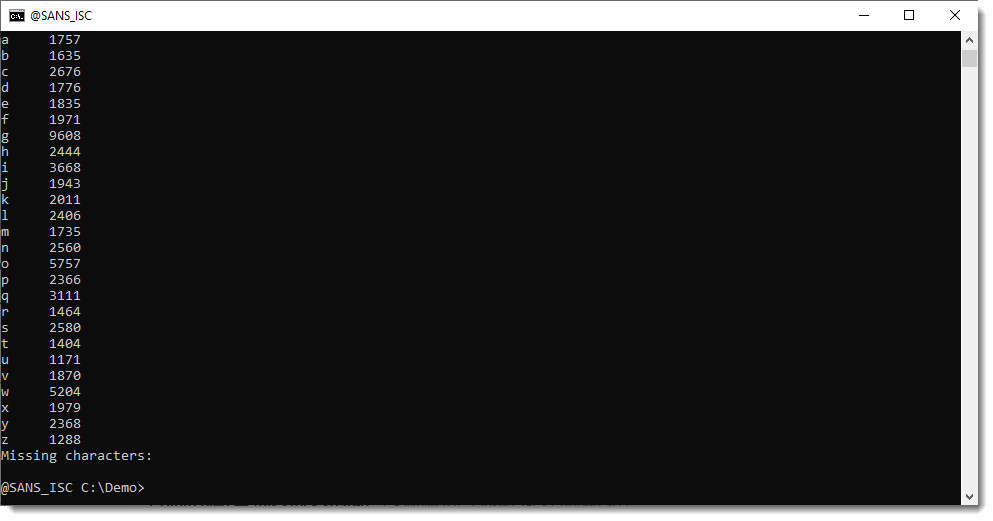
We see that all BASE64 characters appear in the detected BASE64 strings, but that the letter A appears significantly less than other letters.
If we use a minimum length for the detected BASE64 strings, the letter A is even missing:
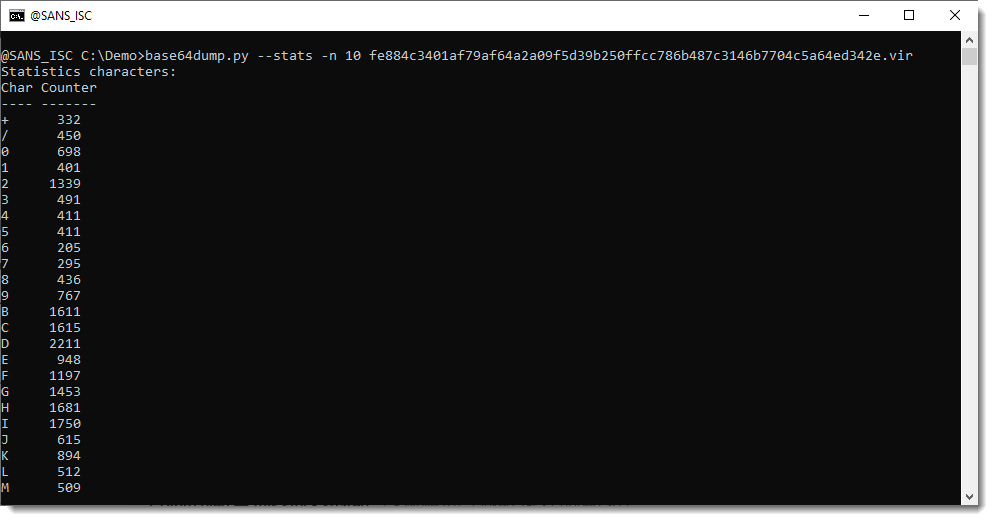
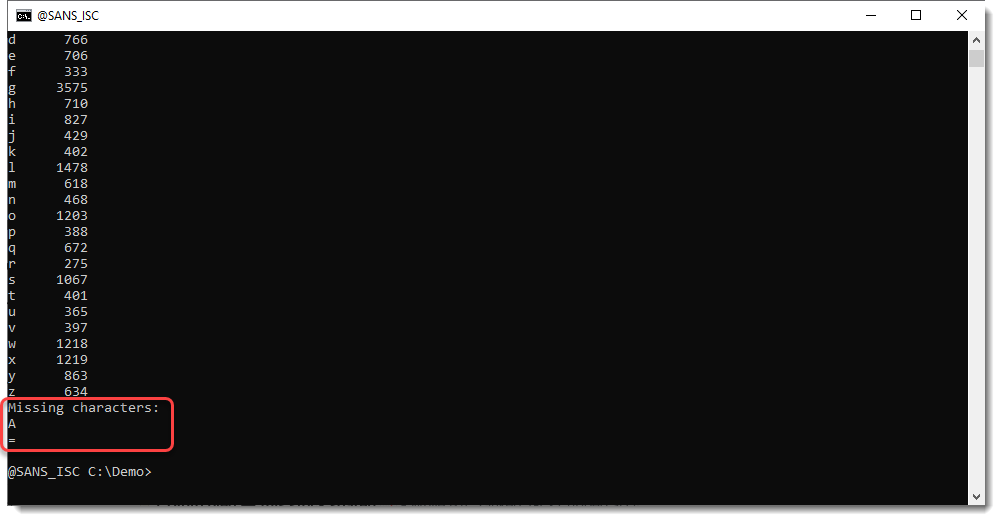
Notice that the = character is also missing, but the = character is a padding character in BASE64, not a normal character: it can only appear once or twice at the end of a BASE64 string.
So this statistics feature of base64dump.py helps us to detect that we might be dealing with a custom encoding, based on BASE64, where the letter A has been replaced with another character. Which character would that be? Let’s take another look at out first analysis:
Character # is the most frequent. So probably A has been replaced with #.
Let’s try that out:
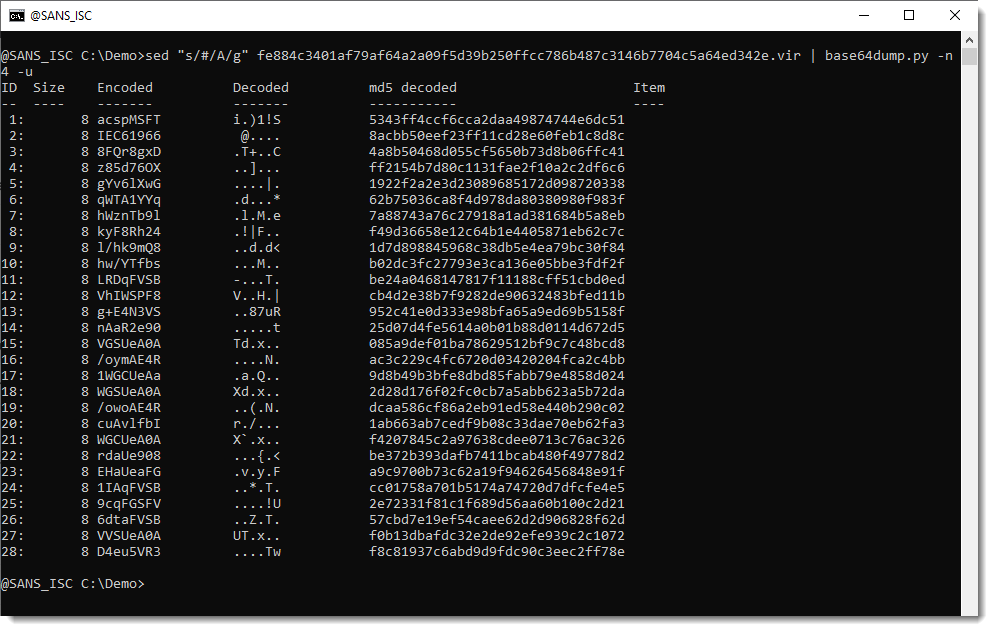
Still no succes.
Let’s run byte-stats.py:
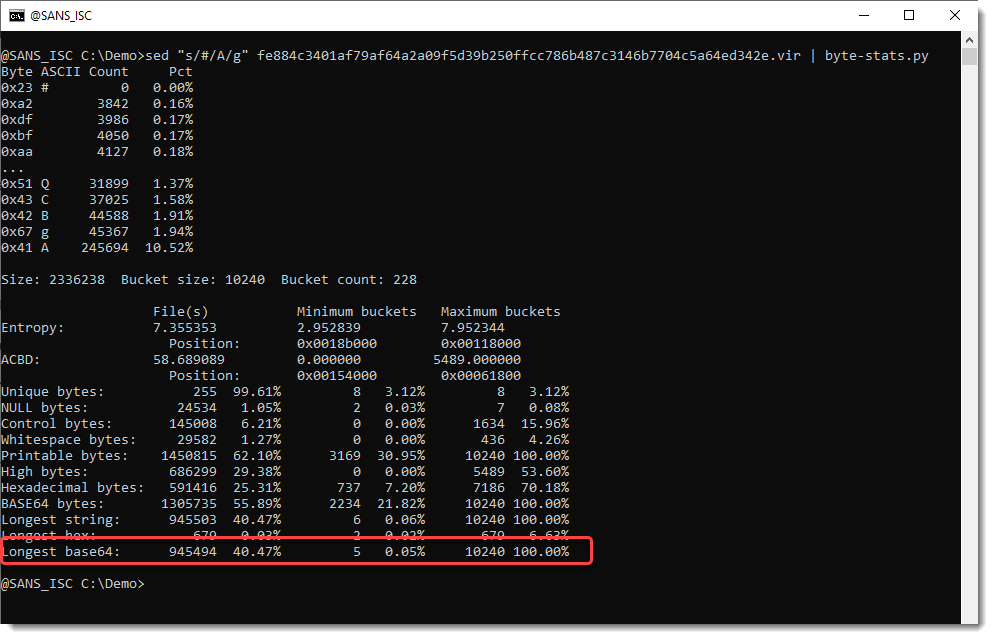
This time we have a very long BASE64 string, almost 1 million characters long. But why isn’t base64dump.py detecting it?
byte-stats.py looks for longest strings, for example the longest string of consecutive BASE64 characters. But it doesn’t check if that string length is a multiple of 4 (that’s a requirement for BASE64). While base64dump.py does check this.
So there must still be some kind of encoding we haven’t figured out. Let’s take a look at the string:
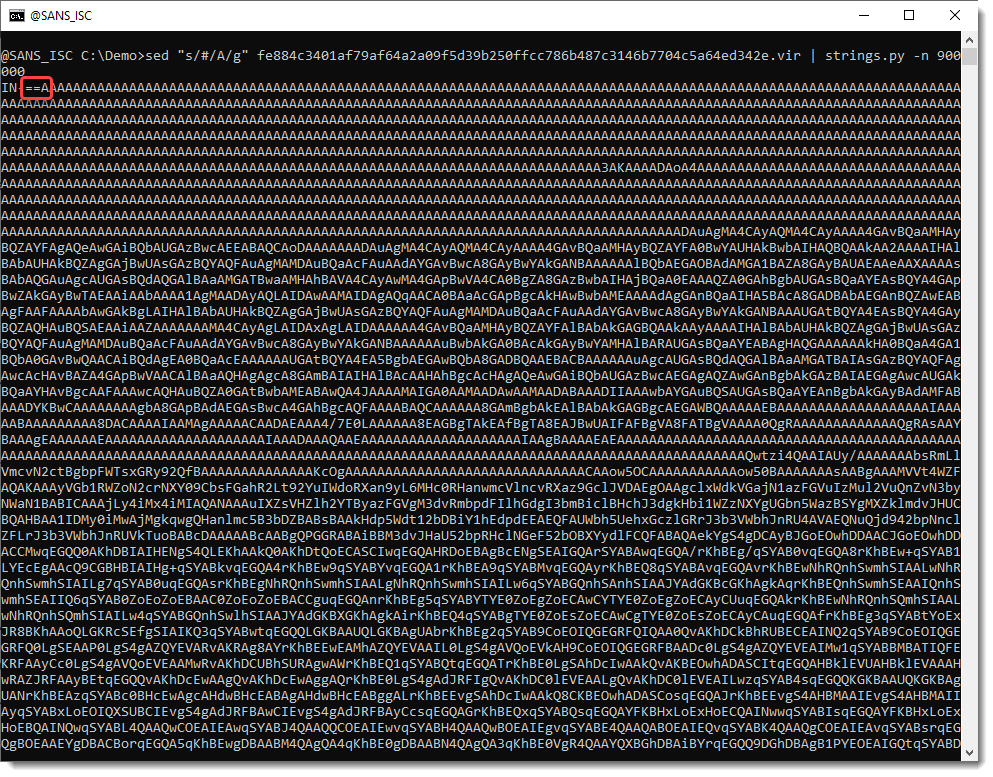
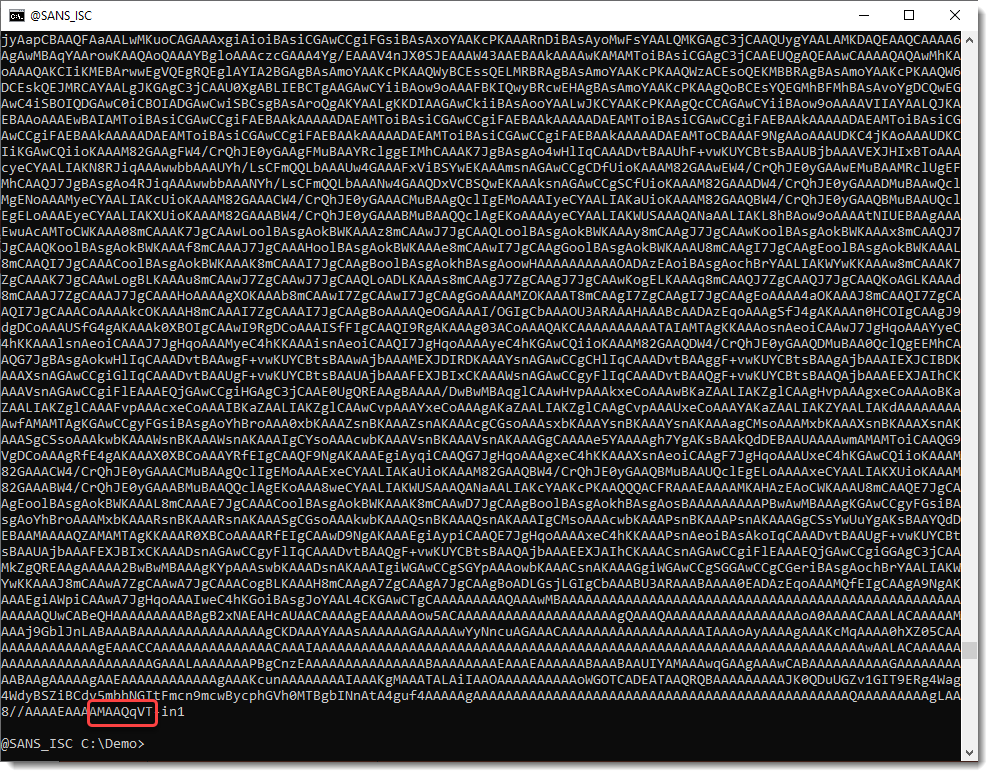
If you are a bit familiar with BASE64 encoding, you will notice that the string has been reversed: == appears at the beginning, and not at the end. And the end is …qVT, which is TVq reversed, and that’s a marker for MZ, e.g., a Windows executable.
So let’s reverse the encoded payload with translate.py:
.png)
That’s indeed a PE file. And it has the same hash as the file Xavier extracted:
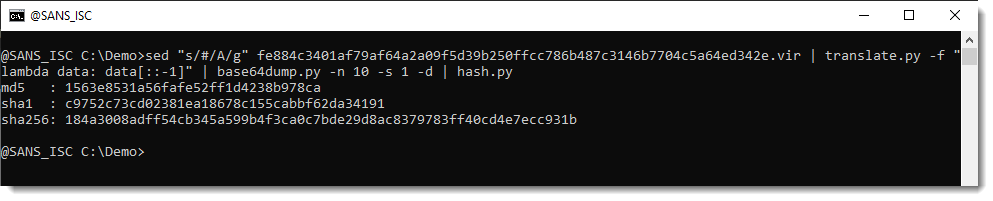
This new feature of base64dump.py, –stats, can help with the reversing of custom encodings by providing statistics of the encoding characters.
Didier Stevens
Senior handler
blog.DidierStevens.com
(c) SANS Internet Storm Center. https://isc.sans.edu Creative Commons Attribution-Noncommercial 3.0 United States License.