
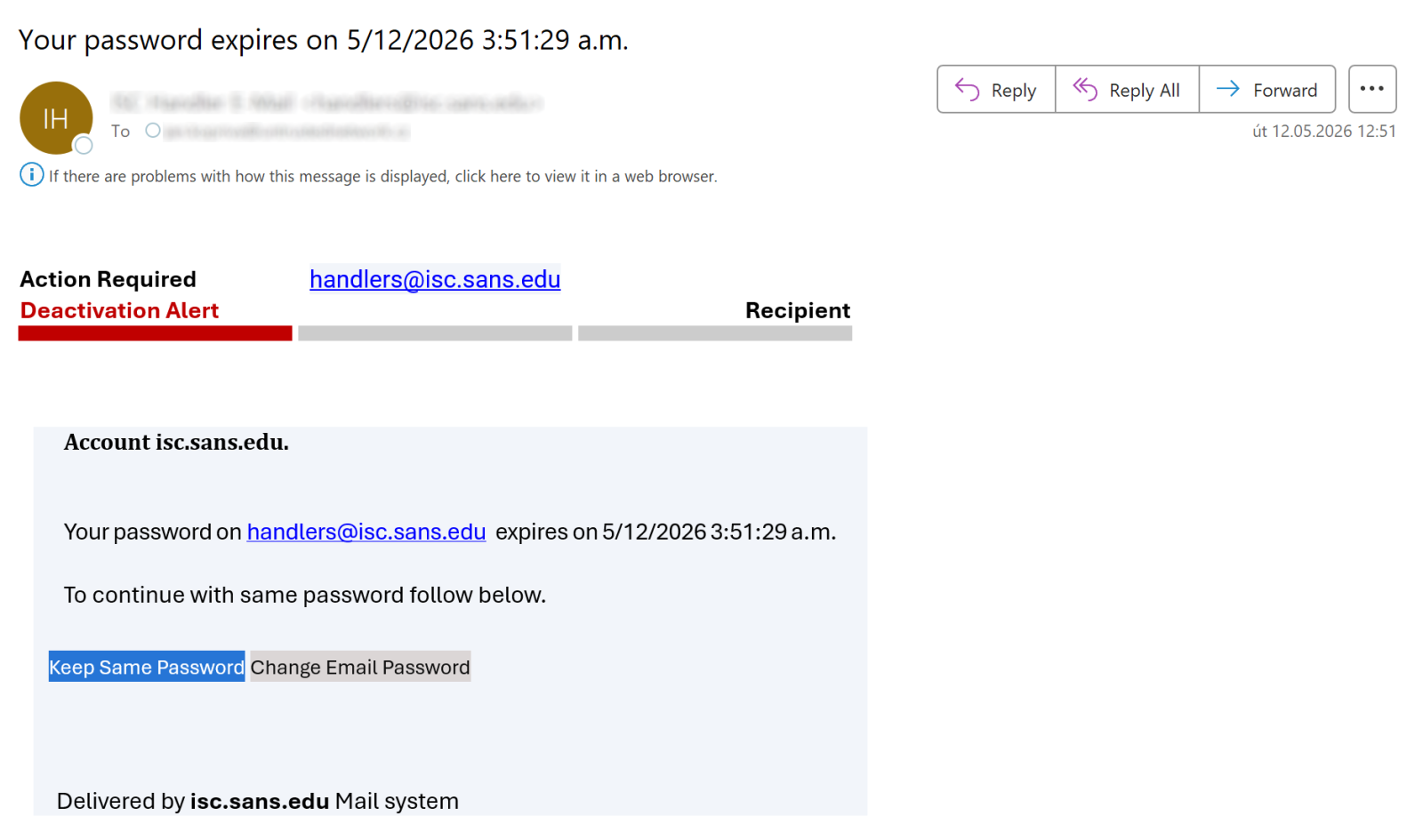
Besides serving as a place where Microsoft Outlook places suspected spam, the Outlook Junk folder has one additional function that can be quite helpful when it comes to identifying malicious messages. Any e-mail placed in this folder is stripped of all formatting, and destinations of all links included in the message become visible to the user, as you can see in the following images which show the same e-mail when it is placed in the inbox, and when it is placed in the Junk folder.
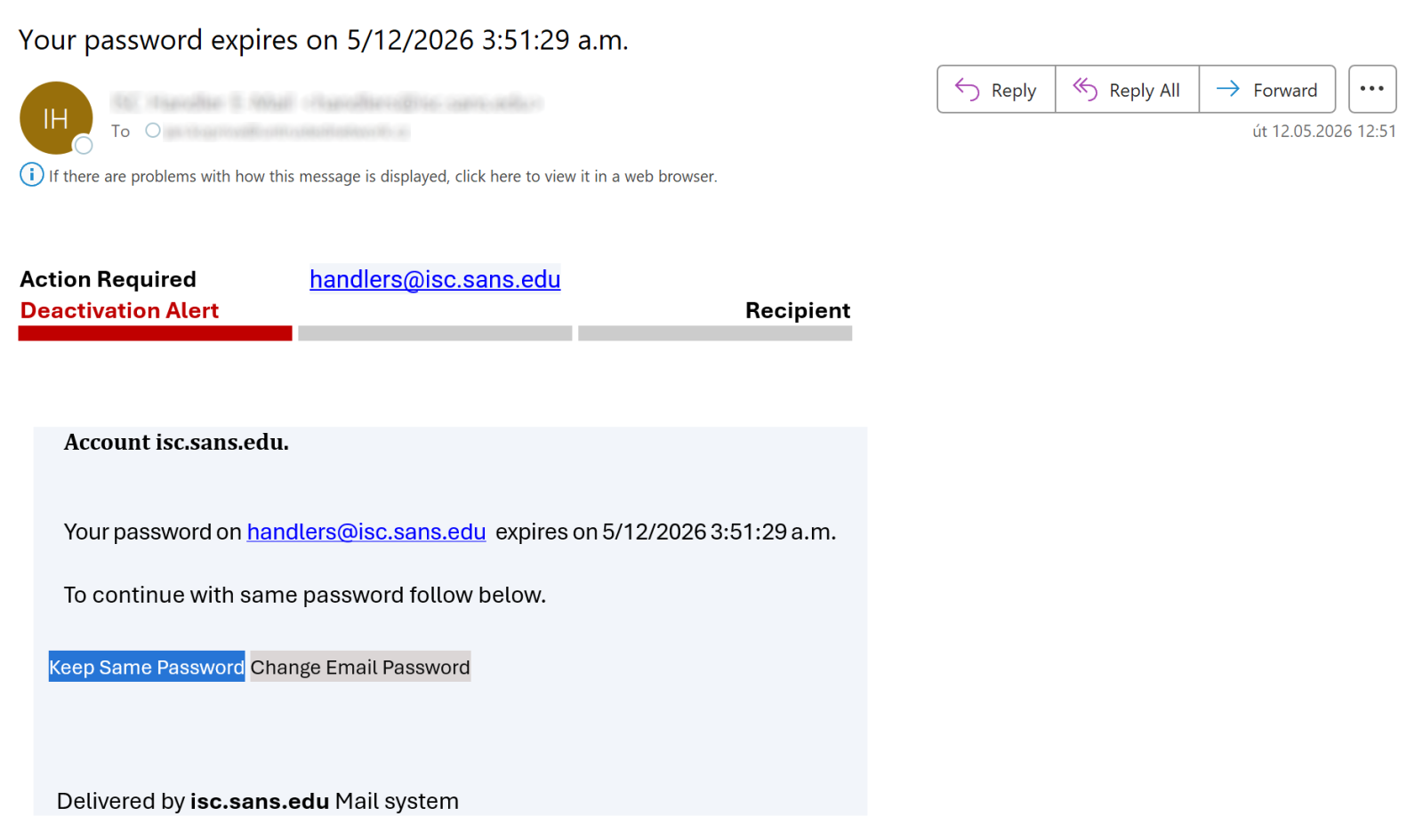
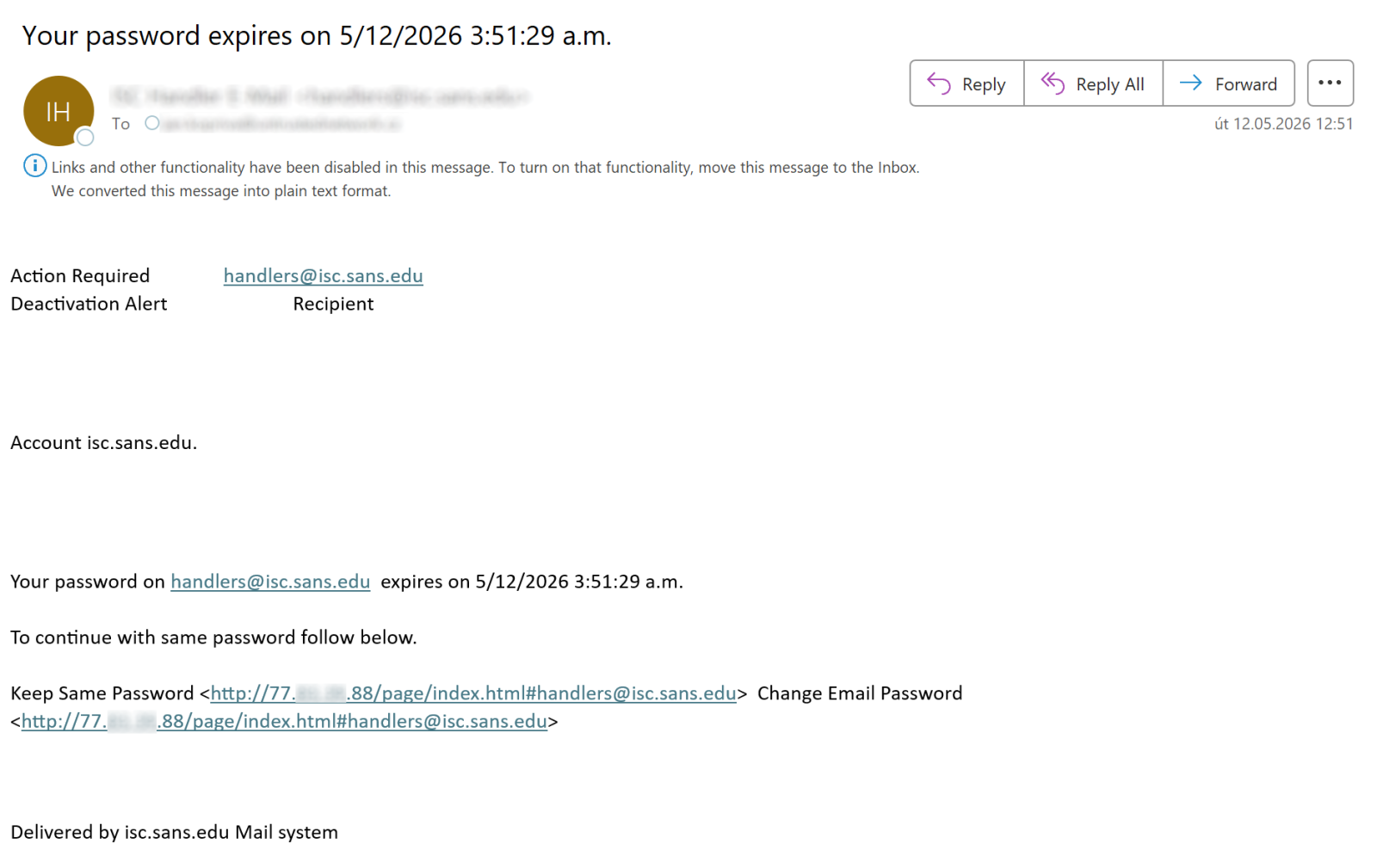
Having access to this functionality is quite advantageous, since it helps easily and safely inspect where a link included in an e-mail might lead. Moving suspicious messages to the Junk folder and viewing them there is correspondingly one of the tips I often give during security awareness training sessions…
Although I will continue to do so, I will now have to add a caveat based on an experience with a phishing message I found in my Junk folder in April.
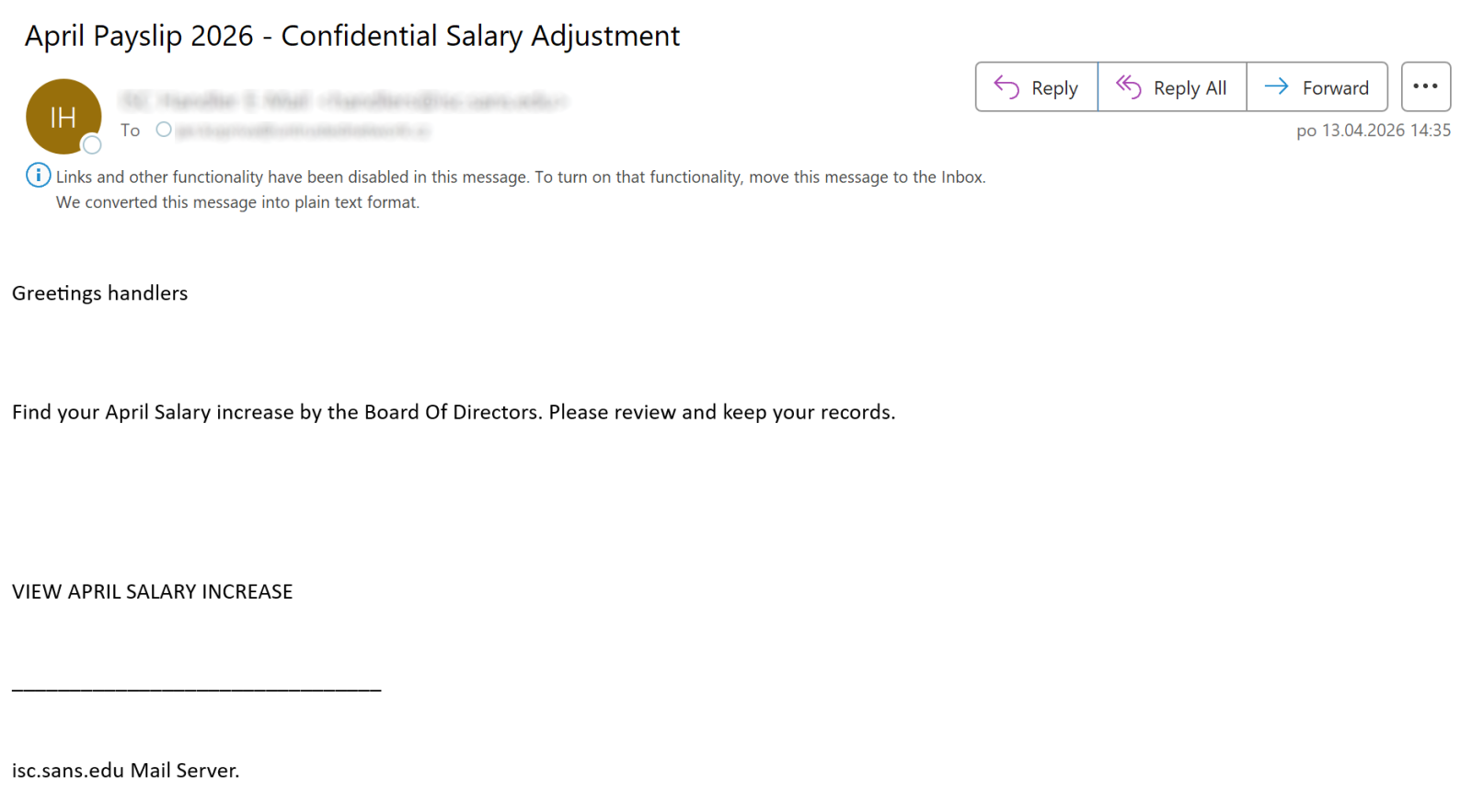
Before I opened the message in question, I was under the impression that the link preview mechanism works without issues with arbitrary HREF included in an e-mail, and that it always shows the corresponding URL. Which is why I was surprised when the Outlook preview pane showed me no links for the following message, even though the “VIEW APRIL SALARY INCREASE” text is obviously supposed to represent a link to some URL.
Once I moved the message to another folder, it turned out my assumption was correct, as the text really was associated with a link, as you can see…
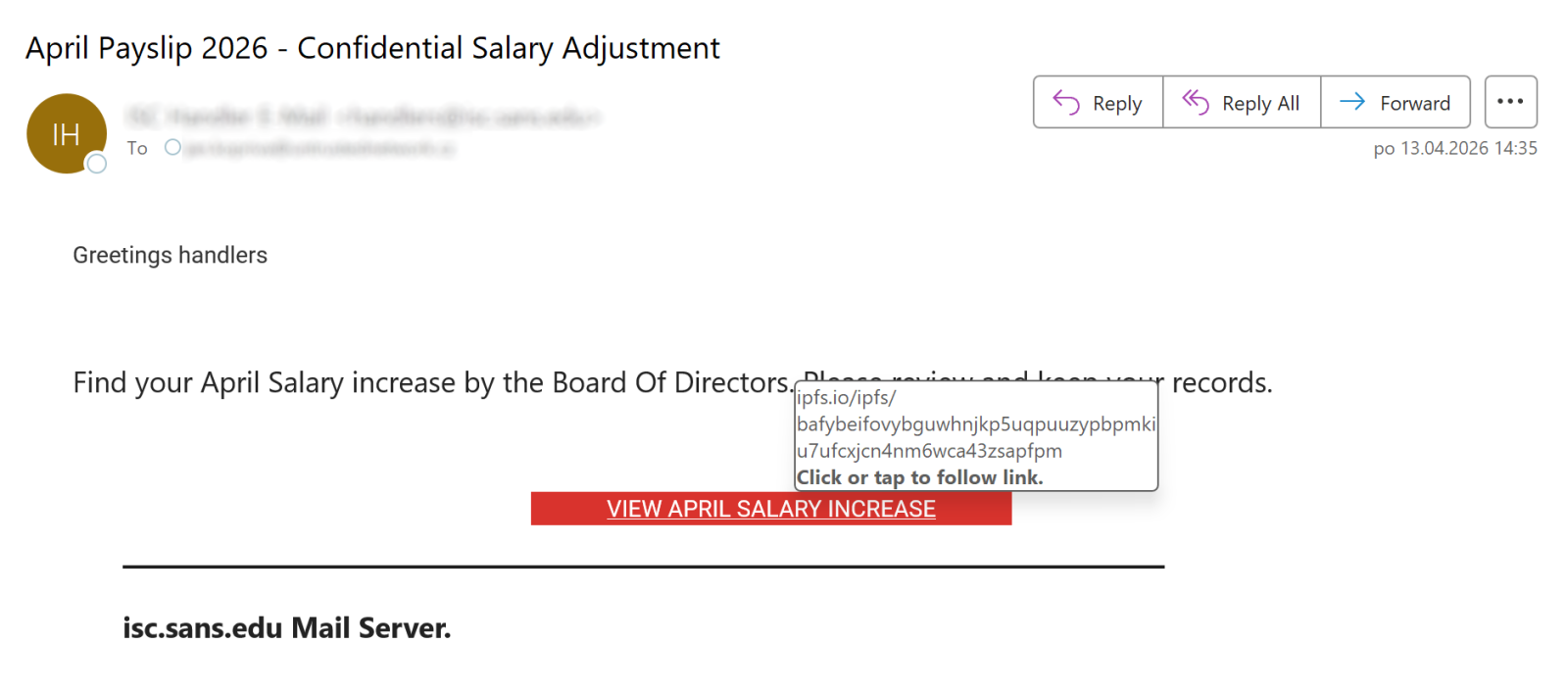
So, how did this link manage to “bypass” the Junk folder preview mechanism?
At first, I thought that the behavior might be caused by the relevant A tag containing another embedded tag “inside it”, which can lead to quite unexpected results in Outlook, such as it modifying where an HREF points to without any input from the user.[1]
Nevertheless, after looking at the HTML code – which seems reasonably normal, as you may see – and a little testing, it became obvious that the truth was much more straightforward.

The cause for the link not being displayed by Outlook when the message was placed in the Junk folder was the fact the HREF target didn’t contain a valid URI – the scheme (protocol) part was missing, with only the path segment present. The link preview mechanism therefore didn’t parse it as a valid link and didn’t show it.
On one hand, this is understandable, since the HREF really didn’t contain a valid URL/URI as per the RFC3986[2], however, since the link is clickable (and works) when the message is open normally, I would consider this behavior of the link preview mechanism to be somewhat unfortunate…
In any case, it is certainly good to know about it, especially if – like me – you commonly recommend that non-specialists use the link preview mechanism that Outlook Junk folder provides to look at suspicious messages. As it turns out, it is not as dependable a mechanism as I had believed it to be.
[1] https://isc.sans.edu/diary/Broken+phishing+accidentally+exploiting+Outlook+zeroday/26254
[2] https://www.rfc-editor.org/rfc/rfc3986.html
———–
Jan Kopriva
LinkedIn
Nettles Consulting
(c) SANS Internet Storm Center. https://isc.sans.edu Creative Commons Attribution-Noncommercial 3.0 United States License.